
Name-Based Case Searches
For Fourth Judicial District Court cases, skip the general web. Go straight to the Ouachita Clerk Connect inquiry route. The public civil and criminal screens show name-based controls. Live results sit behind an account or subscription. Civil inquiry offers Last Name or Suit# and First Name or Suit# fields depending on the search type. Criminal inquiry offers Last Name, First Name, an optional DOB, date fields, and Wildcard Search. Anything beyond those filters stays behind the login. Do not count on an unlisted option.
Match the caption spelling exactly when you have it. A common name alone may pull the wrong case. Before calling the clerk, add a filing year, division, case type, or hearing date. That context also keeps a civil inquiry from blurring into a criminal one.
- Identify whether the matter belongs to Fourth JDC, a city court, a justice of the peace, or federal court.
- Choose the matching Ouachita civil or criminal inquiry service if the matter is in Fourth JDC.
- Enter the available name information and narrow with the date or case details exposed in the selected search mode.
- Compare the displayed case number and date with the information already known before treating a result as the correct file.
- Use the clerk or court counter when the case is not exposed, the portal does not accept the needed criteria, or the result needs confirmation.
Ouachita Docket Search Starts With Court
Ouachita court records do not sit in one interchangeable system. The Fourth Judicial District Court is the parish trial court for civil and criminal matters. Monroe City Court and West Monroe City Court each run their own clerk's office. Neither city site offers a public name or case-number docket form. A justice of the peace keeps a separate docket. Federal district and bankruptcy cases live in federal systems. They are not with the parish clerk.
That court-first step saves a dead end. A city citation can stay in the issuing city court. A Fourth JDC setting, meanwhile, shows up on a parish calendar. Federal matters belong in PACER. The court name printed on your citation, summons, notice, or prior order is the single most useful fact. Carry that fact into any search.
Routing point: A 4JDC case may be found through Clerk Connect or a dated court calendar, but a Monroe, West Monroe, JP, or federal case must be taken to its own custodian.
Case Number Searches
A case number is usually the narrowest path into an Ouachita docket. The weekly calendar shows year-and-parish-coded patterns such as 22-OUDC and 22-OUJV, plus numeric-year patterns. Those codes mark calendar entries. They are not a complete published key for every division. Keep the prefix, year, and punctuation exactly as they appear on the court document.
Criminal Inquiry displays separate Case Number and Ticket Number controls in its public component. Each is required in its own search mode. Civil Inquiry switches its party labels to Suit# when that search type is selected. If a number returns no match, verify the issuing court, year, and division. Then try another route. An e-file account is for filing. It is not a public case lookup.
Ouachita Clerk Connect Search Fields
Clerk Connect has separate civil inquiry, criminal inquiry, and civil e-file doors. The public landing state did not reveal a complete authenticated field list, but the civil and criminal components reveal the following controls. Live data, document images, and the dynamic dropdown choices remain gated. The Ouachita Clerk Connect e-file landing page illustrates the separate account flow.
The official Clerk Connect e-file page shows the account-based Ouachita court-record service.
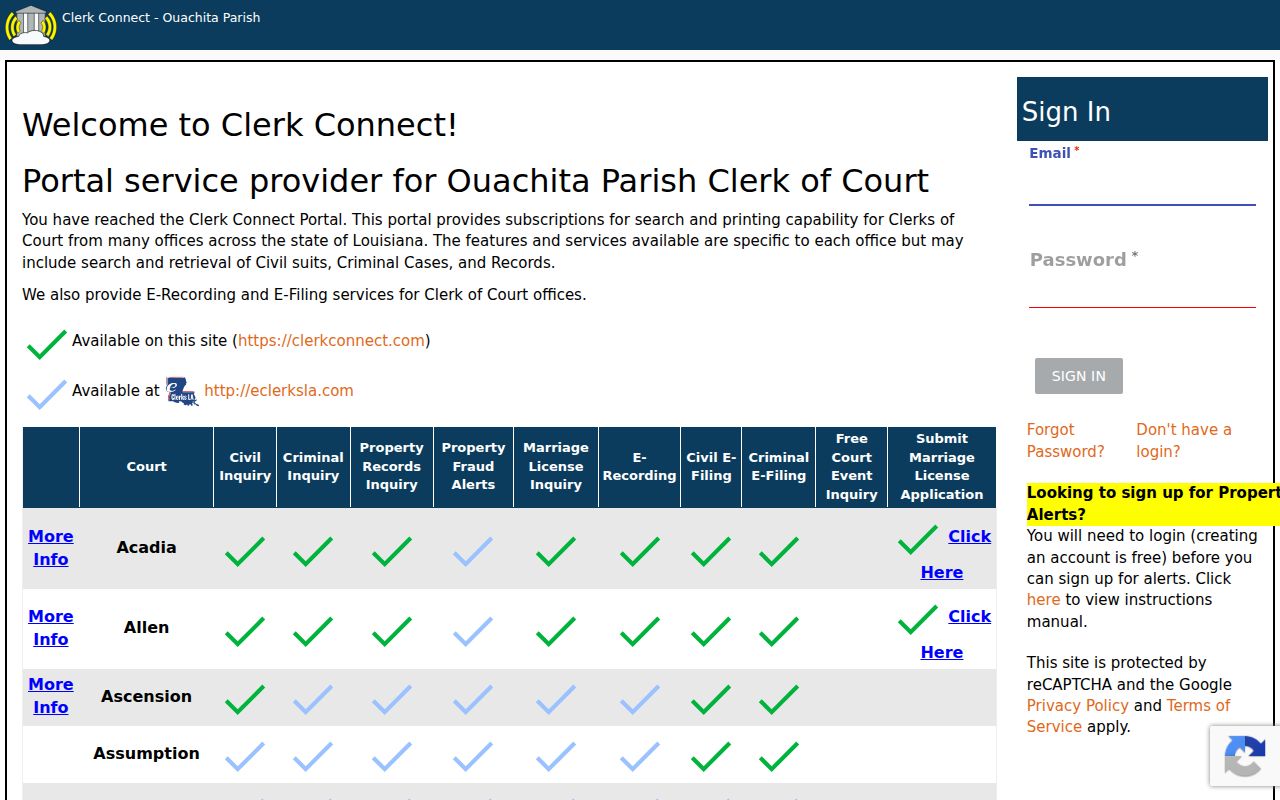
The screen shows the local split between filing access and an unrestricted public docket search.
| Civil field | Type | Required | Ouachita search note |
|---|---|---|---|
| Search Type | Dropdown | Unspecified | Options load dynamically; Suit Number changes party labels. |
| Suit Kind / Suit Cause | Dropdown | Conditional | Public source did not render the available options. |
| From Date / To Date | Date picker | Conditional | Shown for non-Suit Number modes in MM/DD/YYYY format. |
| Name, Suit#, or attorney | Text / autocomplete | Conditional | Attorney selection requires a matched result. |
| Criminal field | Type | Required | Ouachita search note |
|---|---|---|---|
| Search Type / Case Type | Dropdown | Conditional | Dynamic choices were not exposed in public HTML. |
| Year | Number | Conditional | Used in case-number-oriented modes. |
| Case Number / Ticket Number | Text | Required in its mode | The component displays a required-field warning. |
| Name, DOB, date range, attorney | Text / date | Conditional | Wildcard Search is available in name mode. |
Case Search Results Explained
A civil result row can show Suit#, Plaintiff, Defendant, Caption, Date Filed, Cause, and View Details. The criminal component can show a defendant name, DOB, case number, arrest date, and View Details. A row is not the full register, though. Attachments, financial items, restrictions, dispositions, appeal links, and later orders may not appear.
The 4JDC calendar offers a second, narrower result. That result is a setting line. It tells you when and where the court has scheduled an event, nothing more. For the filed pleading, order, judgment, or certified copy behind an entry, follow the clerk process. It is described under Ouachita Court Case Records.
| Case number | The court-assigned identifier used to distinguish a file from another matter with a similar caption. |
|---|---|
| Caption or style | The case title or party-role display; it helps confirm the selected result. |
| Date filed | The date a pleading or case record was accepted, not necessarily the next hearing date. |
| Setting | A scheduled court event. It does not by itself establish a disposition. |
| View details | A route to the available record detail, subject to account, payment, and access restrictions. |
Ouachita Weekly Docket PDF Dates
The public 4JDC docket page posts dated weekly PDF links for Ouachita and Morehouse. Open the Ouachita link. Then track down your court date by week, day, time, court, division, case number, setting label, and location. The schedules page adds judge, criminal-duty, felony-arraignment, hearing-officer, juvenile, drug-court, and non-support categories.
A dated PDF is a calendar snapshot, not a searchable case register. It has no name, case-number, or date-picker form. A reset, continuance, or signed order can overtake it. Confirm any close or changed setting. Ask the responsible clerk, coordinator, or city court.
- Setting
- A scheduled court event or hearing, rather than the outcome of the case.
- Division
- The assigned court section shown with a judge or calendar location.
- VIA ZOOM
- A remote-location notation on a calendar entry, not a final ruling.
- Continuance or reset
- A move to another date; the later register entry or order controls.
Two Ways to Search: County and State
Louisiana offers no single public portal for searching every Ouachita Parish case by name or number. Each system covers its own slice. The state District Court Reporting System serves authorized users, not the general public. Supreme Court CDX is even narrower, handling filings by counsel. So an Ouachita Parish docket search for a trial-court case runs through Clerk Connect. It can also run through the clerk of court. Federal matters sit elsewhere entirely. PACER is the separate system for those. Louisiana DCRS shows where state access stops, since it is built for authorized users rather than public case lookup.
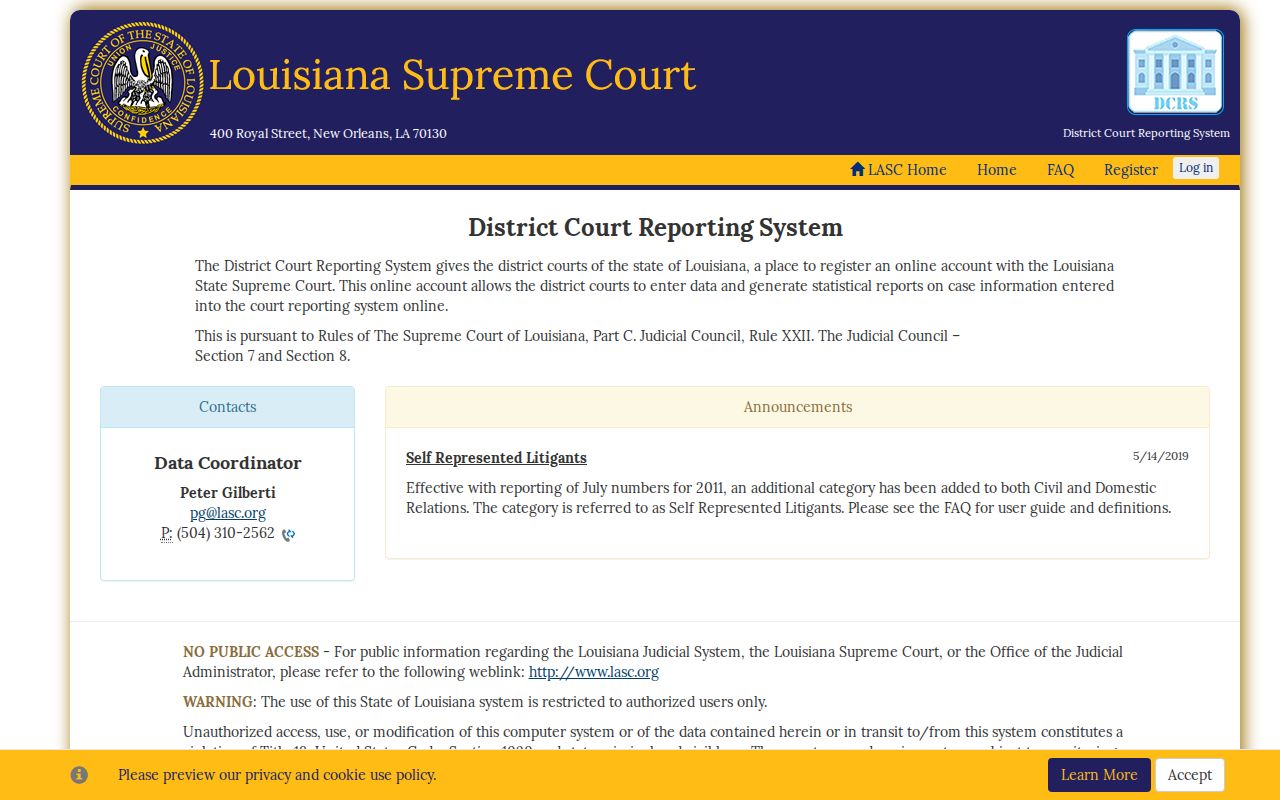
Because the state interface is closed to the public, a county case must go to the court that actually holds it.
| Route | Coverage | What it can provide | Limit |
|---|---|---|---|
| Ouachita Clerk Connect | 4JDC civil or criminal inquiry | Gated local inquiry and potential printing or images | No full public fields before login. |
| 4JDC PDF calendar | Ouachita dated schedules | Setting, court, time, division, and location | Not a full register or document file. |
| DCRS / CDX | State systems | Reporting or counsel filing functions | Neither is a public statewide Ouachita search. |
| PACER | Federal courts | Federal case locator and docket route | Does not replace a state or city court docket. |
Ouachita Case Search Fallbacks
Sometimes Clerk Connect returns nothing. The case may also sit outside Fourth JDC. In either situation, go straight to the issuing court. Monroe and West Monroe post no public case-search forms. The fallback there is contacting the clerk or the court directly. A justice-of-the-peace case belongs with the JP office that issued it. Federal cases start at the PACER Case Locator, which then leads into the federal court docket. For a Fourth JDC request, call the clerk's access line at (318) 327-1444, extension 3501. Offer enough detail to pull up an existing record. A fishing expedition will not work. The known case number is best. Failing that, a caption, approximate filing period, division, subject area, or hearing date can each narrow the search.
Ouachita Parish Clerk of Court
Fourth JDC inquiry and records access
(318) 327-1444, extension 3501
Ouachita Docket Search Details
A good Ouachita Parish docket inquiry starts with details that separate one court file from the rest. Write down the court name first. Add the full case number if you have it. Also include the approximate year, the division or city court, and any setting or filing date. A document title helps too. Petition, motion, judgment, or minute entry, each names something specific worth requesting. These facts matter for a simple reason. Clerk Connect, the weekly PDF, and the clerk counter answer different questions. A calendar shows a date and location. A case inquiry reveals the register or result row available to that account. The clerk can produce an actual document, or explain why access is limited.
- Issuing court or court division
- Case number with its year and prefix
- Caption or the party role and name used by the court
- Approximate filing period or hearing date
- Requested register entry, document title, or certified-copy need
Which Cases Stay Restricted
Public access has limits. A Clerk Connect listing may lack a document image. An entry you cannot open does not mean nothing happened in the case. Sealed, expunged, juvenile, family, protective-order, and private-data material may be withheld, redacted, or released only through an authorized route. Juvenile calendar codes and schedule categories deserve caution. They should never be used to infer or publish private case details. Louisiana law recognizes public-record inspection and copying, subject to exceptions. Electronic filing follows the same substantive access rules as paper. If a request is denied, ask the custodian for the legal basis and whether a redacted or inspection-only version exists. An expunged record stays confidential. The governing criminal-procedure rules keep it that way, even though it is not physically destroyed.
Access rules: La. R.S. 44:31 provides inspection and copying rights subject to exceptions. La. C.C.P. art. 253 ties electronic access to the same substantive rules. La. C.Cr.P. art. 973 makes expunged records confidential except as the statute allows.
Note: A case search result, a weekly docket entry, and a certified court record serve different purposes. They differ in both access and what they prove.